
Camera
Re-shoot the subject without redrawing it. Choose which side of the subject you want to see, then set how close the shot is, where the camera sits and which lens it uses. The camera tool is on the shared toolbar.
Pick a view
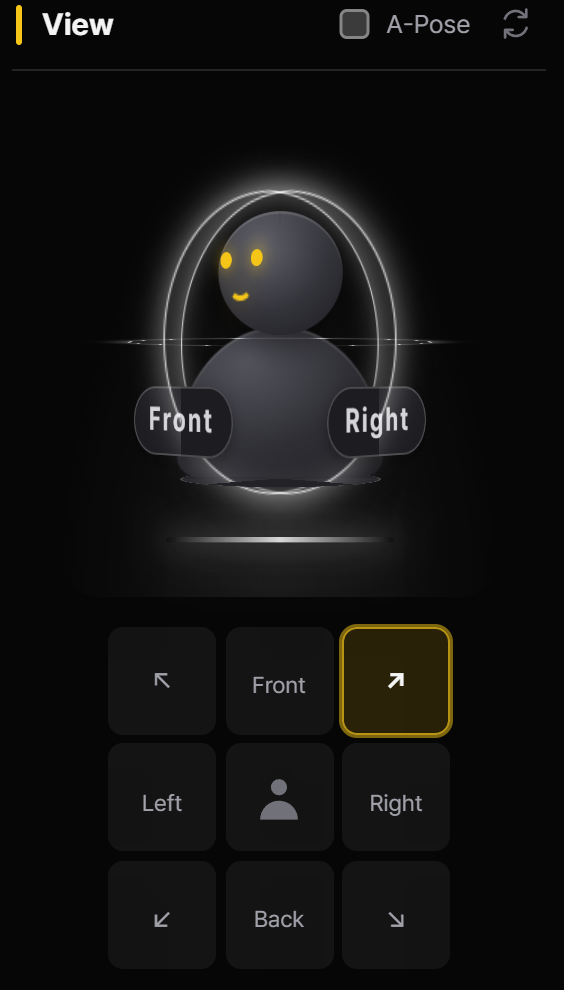
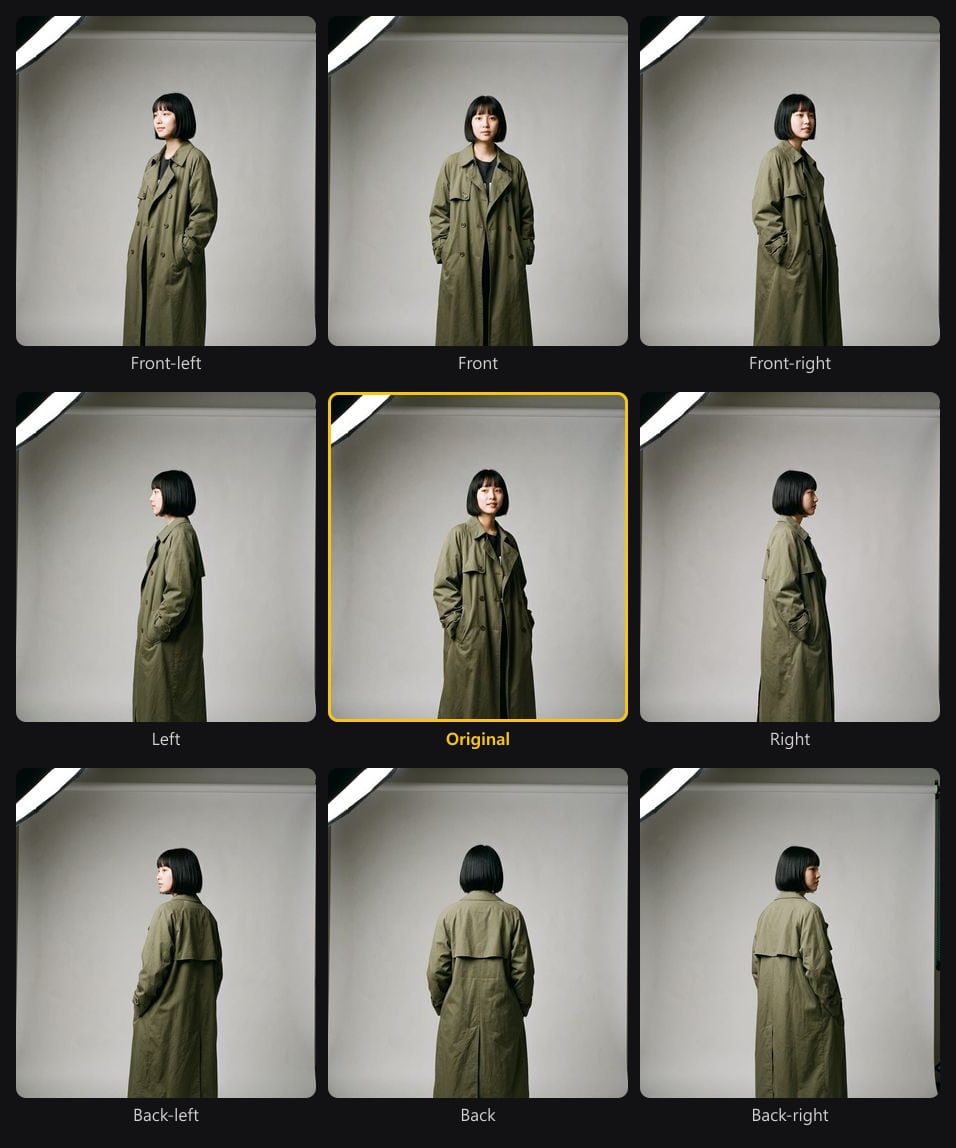
Each cell in the View grid sits where its shot lands around the original.
Pick the angle by where it sits: the eight cells around the subject icon — Front, Back, Left, Right and the diagonal cells Front Left, Front Right, Back Left and Back Right — match the eight shots around the original. Click a cell and generate — no prompt to rewrite, nothing to redraw — and the new angle lands next to the original. Drag the 3D camera controller in the camera tool for any angle in between, and click the selected cell again to turn it off. The view names the side of the subject you will see — Left shows the subject’s left side.
Shot, angle and lens
Under the view row come the FOV and focal length fields, then three preset grids: camera angle, lens & focus and shot size. Hover a preset to see what it is good for; the reset button beside View puts the view, FOV and focal length back.
| Group | Presets | Use it for |
|---|---|---|
| Shot | Extreme Long Shot · Long Shot · Full Shot · Knee Shot · Waist Shot · Bust Shot · Close-Up · Extreme Close-Up | How much of the subject is in frame — from a tiny figure in a vast place to eyes and lips only. |
| Angle | Eye Level · High Angle · Low Angle · Bird’s Eye · Worm’s Eye · Dutch Angle · Over the Shoulder | Where the camera sits — a low angle makes the subject imposing, a high angle makes it small. |
| Lens | Deep Focus · Shallow Focus · Rack Focus · Fisheye · Telephoto · Wide Angle, plus FOV and focal length | Depth of field and perspective — telephoto compresses space, wide angle exaggerates it. |
Re-shoot an image
Camera in video and storyboards
For video, the Camera Motion presets — from a locked-off static shot to handheld — set how the camera moves during the clip. In a storyboard, each cut has a camera chip: use the camera tool’s current setting, copy the previous cut, or clear it.